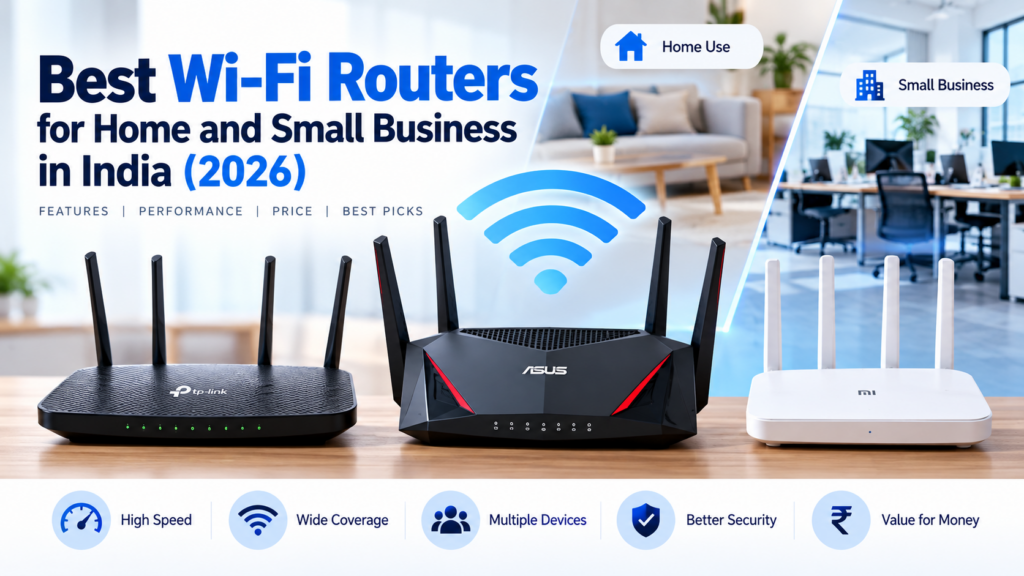
Choosing the right Wi-Fi router can make a big difference to your internet experience. Whether you work from home, attend online classes, stream videos, run a small business, or connect multiple devices, a good router helps you build a more reliable network.
However, not every home needs an expensive router. The best choice depends on your broadband speed, home size, number of connected devices, and budget.
In this guide, we explain what to look for when buying a Wi-Fi router in India and compare several models worth considering in 2026.
Quick Recommendations
| Your requirement | Router to consider | Why consider it? |
|---|---|---|
| Basic internet usage | TP-Link Archer C6 | Dual-band Wi-Fi 5 and Gigabit Ethernet |
| Budget Wi-Fi 6 upgrade | TP-Link Archer AX23 | Wi-Fi 6, dual-band connectivity and Gigabit ports |
| More demanding home network | TP-Link Archer AX53 | A higher wireless speed class than the AX23 |
| Larger home with Wi-Fi dead zones | TP-Link Deco X50 Mesh | Multiple units can provide broader coverage |
| Small office with wired devices | TP-Link Archer AX23 | Four Gigabit LAN ports for compatible wired devices |
Important: These are models to compare, not a guarantee that one router will be best for every home. Check the exact hardware version, features, warranty, availability and current price before buying.
1. TP-Link Archer C6: A Practical Option for Everyday Use
The TP-Link Archer C6 is a dual-band Wi-Fi 5 router suitable for everyday browsing, video streaming, online classes and general home internet use.
Key features
- Dual-band Wi-Fi on 2.4 GHz and 5 GHz.
- AC1200 wireless speed class.
- Gigabit Ethernet ports on supported versions.
- Multiple external antennas.
- MU-MIMO and Beamforming support.
Who should consider it?
Consider this model if you want a straightforward router for a home network and do not need every newer Wi-Fi feature.
Before purchasing, verify that the particular hardware version supports the ports and features you require.
Check price and availability: [Insert your affiliate link here]
2. TP-Link Archer AX23: A Wi-Fi 6 Upgrade
The TP-Link Archer AX23 is an AX1800 dual-band Wi-Fi 6 router. It is worth considering if you want a newer Wi-Fi standard for compatible phones, laptops and other devices.
Key features
- Wi-Fi 6 technology.
- Advertised combined wireless speed class of AX1800.
- Up to 1,201 Mbps on the 5 GHz band and 574 Mbps on the 2.4 GHz band under specified conditions.
- Four Gigabit LAN ports and one Gigabit WAN port.
- OFDMA and Beamforming.
- WPA3 security support.
- Guest networks and parental controls.
- Compatibility with supported TP-Link mesh products.
Why consider it?
Wi-Fi 6 can improve network efficiency when multiple compatible devices are connected. This can be useful in homes where people are simultaneously attending video calls, streaming content and downloading files.
Remember that AX1800 is a theoretical wireless speed classification, not a promise that your internet connection will deliver 1,800 Mbps.
Who should buy it?
Consider the Archer AX23 if you want a Wi-Fi 6 router for a typical home or small office and your internet plan, devices and coverage requirements justify the upgrade.
Check price and availability: [Insert your affiliate link here]
3. TP-Link Archer AX53: For a More Demanding Home Network
The TP-Link Archer AX53 is another Wi-Fi 6 router worth comparing when you need a higher wireless speed class.
It may suit households with several active devices, frequent video calls, streaming and larger file downloads.
What should you check?
Before buying, compare:
- Advertised wireless speed.
- Gigabit Ethernet port availability.
- Supported security features.
- Coverage requirements.
- Compatibility with your broadband connection.
- Warranty and local after-sales support.
A higher advertised wireless speed does not automatically mean better coverage in every building. Walls, interference, device capabilities and router placement all affect real-world performance.
Check price and availability: [Insert your affiliate link here]
4. TP-Link Deco X50: For Homes With Wi-Fi Dead Zones
A single router may not provide a reliable signal in every room of a large home or a multi-storey building.
A mesh Wi-Fi system uses multiple units to extend coverage across different areas. The TP-Link Deco X50 is an option to investigate if you regularly experience weak signals in distant rooms.
When is mesh Wi-Fi useful?
Consider a mesh system if:
- Your home has multiple floors.
- The router is far from your bedroom or office.
- Some rooms have consistently weak Wi-Fi.
- You need a more consistent connection while moving around the house.
Is mesh always necessary?
No. In a small apartment, a well-positioned single router may be sufficient.
Also, mesh Wi-Fi cannot fix every internet problem. If your broadband connection itself is slow or unstable, you may need to investigate the internet service before purchasing additional equipment.
Check price and availability: [Insert your affiliate link here]
5. A Router for a Small Office
A small office may have several computers, printers, smartphones, CCTV devices and other equipment connected to the same network.
For this environment, choose a router based on the actual network requirements rather than buying the most expensive model.
Features to look for
Gigabit Ethernet ports: Useful for connecting desktop computers, network printers, switches and other compatible devices.
Guest Wi-Fi: Allows visitors to use the internet without sharing your main Wi-Fi password.
Security updates: Choose a model with an active support policy and install firmware updates when available.
Network capacity: Consider how many devices will be active simultaneously.
Coverage: Check whether one router can cover the office or whether you need an access point or mesh system.
Business requirements: If you need VLANs, centralized management, advanced access controls or multiple internet connections, investigate business-grade networking equipment rather than assuming a consumer router will support everything.
Check price and availability: [Insert your affiliate link here]
Wi-Fi 5 vs Wi-Fi 6: Which Should You Choose?
Wi-Fi 5 and Wi-Fi 6 are wireless networking standards.
| Feature | Wi-Fi 5 | Wi-Fi 6 |
|---|---|---|
| Technical standard | 802.11ac | 802.11ax |
| General use | Everyday home networking | Home networks with newer devices and heavier usage |
| Multiple-device efficiency | Depends on model and features | Includes technologies designed to improve efficiency |
| Compatibility | Supports many existing devices | Supports compatible newer devices and generally offers backward compatibility |
| Buying advice | Can be suitable for basic needs | Worth considering for a new purchase if the budget allows |
Our advice: If you are buying a new router and the price difference is reasonable, compare Wi-Fi 6 models first. However, a good Wi-Fi 5 router may still meet your requirements.
How to Choose the Right Router
Before purchasing, answer these five questions.
1. What is your broadband speed?
Check your internet plan. If you have a high-speed broadband connection, make sure the router’s Ethernet ports and wireless capabilities will not unnecessarily limit your setup.
2. How large is your home or office?
A router that works well in a small apartment may struggle to cover a large building.
For difficult layouts, consider relocating the router, adding an access point or evaluating a mesh system.
3. How many devices will connect?
Count laptops, smartphones, televisions, printers, cameras and smart-home devices.
The number of devices alone does not determine performance; their activity and the router’s capabilities also matter.
4. Do you need wired connections?
If you use desktop computers, printers or other equipment with Ethernet ports, check how many Gigabit LAN ports the router provides.
If you need additional wired connections, a compatible network switch may help.
5. What security features are available?
Look for WPA2-AES or WPA3 support, firmware updates, guest network functionality and a secure administration interface.
After installation, change the default administrator password and use a strong Wi-Fi password.
How to Improve Your Wi-Fi Signal Without Buying a New Router
Before spending money on a replacement, try these steps:
- Place the router in a central, open location.
- Avoid hiding it inside a cupboard.
- Keep it away from major sources of interference where possible.
- Use the 5 GHz band for nearby compatible devices that need higher speeds.
- Use the 2.4 GHz band when greater reach is more important than peak speed.
- Restart the router if it becomes unresponsive.
- Update the firmware using instructions for your exact model and hardware version.
- Test your internet speed near the router and again in the room where the connection is weak.
If the connection remains unstable, contact your internet service provider to determine whether the issue comes from the broadband line, modem, router or Wi-Fi environment.
Frequently Asked Questions
1. Which Wi-Fi router is best for home use in India?
The best choice depends on your budget, broadband speed, home size and connected devices. Compare dual-band models, Wi-Fi standards, Ethernet ports and warranty support before deciding.
2. Is Wi-Fi 6 better than Wi-Fi 5?
Wi-Fi 6 introduces improvements designed to make wireless networks more efficient, particularly when multiple compatible devices are active. Actual performance depends on the router, client devices and network environment.
3. Will a new router increase my internet speed?
It may improve wireless performance if your existing router is the bottleneck. However, it cannot increase the speed provided by your internet plan or fix every broadband problem.
4. Should I buy a router or a mesh Wi-Fi system?
A single router is usually the simpler starting point for a small home. Mesh Wi-Fi may be more suitable for larger homes or areas with persistent dead zones.
5. Can I use my own router with Jio or Airtel broadband?
Compatibility depends on your connection type and service-provider configuration. Check with your ISP before purchasing, especially if your existing setup uses a provider-supplied optical network terminal or gateway.
6. How often should I update router firmware?
Check for updates periodically and install appropriate security and stability updates. Always follow the manufacturer’s instructions for your exact hardware version.
7. Where should I place my Wi-Fi router?
Place it in an open, reasonably central location, preferably elevated and away from major obstacles. The best location depends on the building layout and the devices you use.
Final Verdict
For a straightforward home network, start by comparing the TP-Link Archer C6 with newer Wi-Fi 6 alternatives.
If you want Wi-Fi 6 and Gigabit Ethernet, the TP-Link Archer AX23 is a useful model to investigate. If your main problem is poor coverage across a large home, evaluate a mesh system such as the TP-Link Deco X50 instead of assuming that a more powerful single router will solve everything.
Always compare current prices, hardware versions, warranty terms and availability before purchasing.
Have questions about choosing a router? Leave a comment describing your broadband speed, home size and budget, and we’ll help you narrow down the options.
Affiliate Disclosure
TechPathGuide may earn a commission if you purchase a product through qualifying affiliate links in this article, at no additional cost to you. Our recommendations should be based on usefulness, specifications and value—not just commission rates.