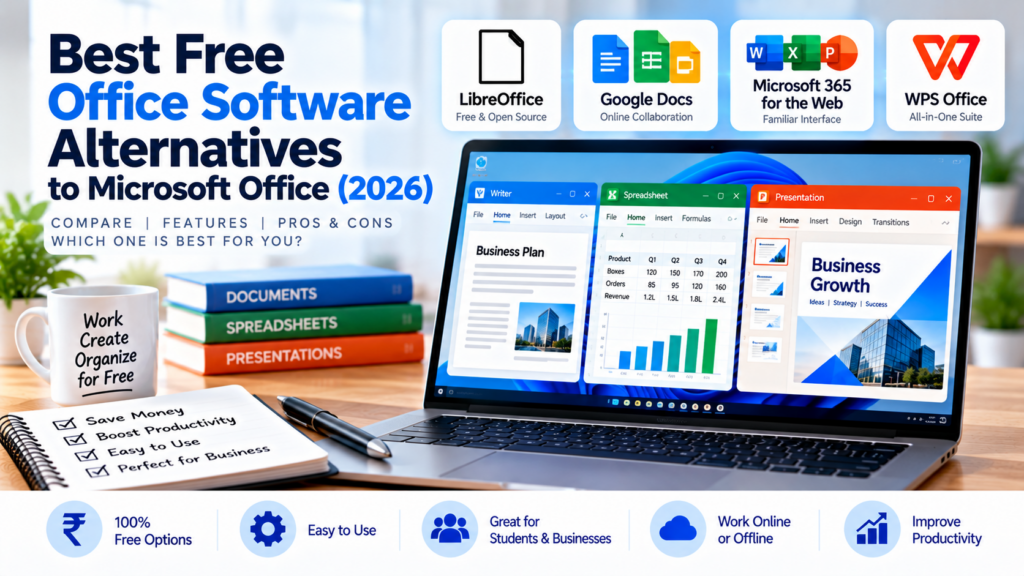
Do you need to create documents, prepare spreadsheets, or make presentations but don’t want to pay for Microsoft Office? The good news is that several free office software options can help you get your work done without purchasing an expensive subscription.
Whether you’re a student, office worker, freelancer, or small business owner in India, choosing the right office suite can save money and improve productivity.
In this guide, we’ll compare the best free alternatives to Microsoft Office in 2026, including their features, offline capabilities, advantages, and limitations. By the end, you’ll know which option is best for your needs.
Quick Comparison: Best Free Office Software
| Software | Best For | Works Offline? | Main Advantage |
|---|---|---|---|
| LibreOffice | Offline work and document creation | Yes | Free desktop office suite |
| Google Docs, Sheets and Slides | Online collaboration | Yes, with setup | Easy sharing and teamwork |
| Microsoft 365 for the web | Users familiar with Microsoft Office | No for normal web editing | Familiar Word, Excel and PowerPoint interfaces |
| WPS Office | Users wanting an all-in-one office suite | Yes, using desktop apps | Documents, spreadsheets, presentations and PDF tools |
Quick recommendation: Choose LibreOffice if you need a free desktop office suite, Google Docs if collaboration is important, Microsoft 365 for the web if you prefer Microsoft’s familiar interface, or WPS Office if you want several productivity tools in one application.
1. LibreOffice — Best Free Office Suite for Offline Work
LibreOffice is a free, open-source office suite that you can install on your computer. It is a strong alternative to Microsoft Office, especially if you regularly work with documents, spreadsheets, and presentations without an internet connection.
Key Features
- Writer: Create letters, reports, assignments, and other documents.
- Calc: Prepare spreadsheets, budgets, calculations, and reports.
- Impress: Create presentations for school, college, or business.
- Draw: Create diagrams and other visual documents.
- Base: Work with databases.
- Math: Create mathematical formulas.
Advantages
- Free to use without a recurring subscription.
- Works offline after installation.
- Includes tools for documents, spreadsheets, and presentations.
- Supports many common Microsoft Office file formats.
- Suitable for students, home users, and small businesses.
Limitations
- Some complex Microsoft Office documents may not retain their original formatting perfectly.
- The interface may feel different if you’re accustomed to Microsoft Office.
- Real-time collaboration is not as straightforward as in cloud-based office suites.
Who Should Choose LibreOffice?
LibreOffice is an excellent choice if you want to prepare invoices, letters, reports, spreadsheets, and presentations on your computer without paying for an office software subscription.
Official website: LibreOffice
2. Google Docs, Sheets and Slides — Best for Online Collaboration
Google provides three popular productivity applications: Google Docs for documents, Google Sheets for spreadsheets, and Google Slides for presentations.
These tools run primarily in your web browser and make it easy to share files with colleagues, classmates, or business partners.
Key Features
- Create and edit documents online.
- Prepare spreadsheets and perform calculations.
- Design presentations.
- Share files with other people.
- Collaborate on documents in real time.
- Access your work across compatible devices.
Advantages
- Free personal access is available with a Google account.
- Easy sharing and collaboration.
- Automatic saving of online work.
- No traditional desktop installation is required for normal online use.
- Offline editing is available when configured in a supported browser.
Limitations
- Most features work best with an internet connection.
- Offline access requires prior setup and has browser and account requirements.
- Some advanced desktop office features may not be available.
- Imported Microsoft Office documents may need formatting adjustments.
Who Should Choose Google Docs?
Google Docs, Sheets, and Slides are particularly useful for students working on assignments, teams preparing shared reports, and small businesses that need several people to access the same documents.
For example, a business owner can prepare a spreadsheet and share it with an employee without repeatedly sending updated copies by email.
Official website: Google Docs
3. Microsoft 365 for the Web — Best for Microsoft Office Users
If you already know how to use Microsoft Word, Excel, and PowerPoint, you may not need to switch to a completely different office suite.
Microsoft offers free web versions of Word, Excel, and PowerPoint through Microsoft 365 for the web. You can use these applications in your browser after signing in with a Microsoft account.
Key Features
- Create and edit Word documents.
- Prepare Excel spreadsheets.
- Build PowerPoint presentations.
- Save and access files through OneDrive.
- Share documents and collaborate online.
Advantages
- Familiar Microsoft Office interface.
- Useful for working with common Word, Excel, and PowerPoint formats.
- Online collaboration features.
- No desktop installation is required for browser-based editing.
- A free Microsoft account includes 5 GB of OneDrive storage under the current personal free offering.
Limitations
- The free version provides web apps rather than the full paid desktop applications.
- Normal browser-based editing requires an internet connection.
- Some advanced desktop features require a paid subscription or another eligible licence.
- Access to certain features depends on the account and application.
Who Should Choose Microsoft 365 for the Web?
Choose this option if you frequently exchange Word, Excel, and PowerPoint files with customers, colleagues, or clients and prefer to remain within Microsoft’s ecosystem.
It is also a convenient option for users who occasionally need to edit an Office document without installing desktop software.
Official website: Microsoft 365
4. WPS Office — Best All-in-One Alternative
WPS Office is another office suite worth considering. It offers tools for documents, spreadsheets, presentations, and PDF-related tasks.
Its familiar office-style interface can make the transition easier for people who already use Microsoft Office.
Key Features
- Writer for documents.
- Spreadsheet tools for calculations and data.
- Presentation tools for slides.
- PDF viewing and selected PDF tools.
- Desktop and mobile applications.
Advantages
- Offers free core productivity features.
- Combines several office tools in one suite.
- Supports common Microsoft Office file formats.
- Desktop applications support offline work.
- Provides applications for multiple device types.
Limitations
- Some advanced PDF, AI, and other features require a paid plan.
- The availability of free features can vary by platform and version.
- Users should review installation options and optional offers carefully.
- Complex documents may still require formatting adjustments.
Who Should Choose WPS Office?
WPS Office is worth trying if you want documents, spreadsheets, presentations, and PDF-related tools together in one application.
Before choosing it for business use, check whether the specific features you need are included in the free version.
Official website: WPS Office
Which Free Office Software Is Best for You?
The best choice depends on how you work.
| Your Requirement | Recommended Option | Why? |
|---|---|---|
| Work without the internet | LibreOffice | Full desktop office suite |
| Collaborate with colleagues | Google Docs, Sheets and Slides | Convenient sharing and simultaneous editing |
| Edit Word and Excel files in a browser | Microsoft 365 for the web | Familiar Microsoft applications |
| Use documents, spreadsheets and PDF tools together | WPS Office | Several productivity tools in one suite |
| Prepare reports for a small business | LibreOffice or Microsoft 365 for the web | Choose based on offline needs and document compatibility |
| Complete college assignments | Google Docs or LibreOffice | Collaboration or offline work, depending on your needs |
Remember that no single free office suite is perfect for everyone. Before moving your important work to a new application, test it with a few documents you regularly use.
Can Free Office Software Open Microsoft Word and Excel Files?
Yes. The office suites discussed in this article support common Microsoft Office file formats to varying degrees.
For example, you can generally work with formats such as:
.docxfor Word documents..xlsxfor Excel spreadsheets..pptxfor PowerPoint presentations.
However, compatibility is not always perfect. Documents containing complex layouts, macros, specialised fonts, advanced formulas, or unusual formatting may behave differently.
If you regularly exchange important business documents with customers, test your actual files before switching completely.
Is Free Office Software Safe for Business Use?
Free office software can be suitable for business use, but you should choose your tools carefully.
Follow these precautions:
- Download software from its official website or a trusted app store.
- Avoid cracked or unofficial versions of paid office applications.
- Keep your software updated.
- Back up important documents regularly.
- Protect sensitive business files with appropriate access controls.
- Check privacy and storage settings before uploading confidential information to an online service.
For businesses that handle financial records, customer information, or confidential documents, the software’s security and data-handling practices are just as important as its price.
How to Choose the Right Office Suite
Before installing an office suite, ask yourself five questions.
1. Do I need to work offline?
If you frequently work without internet access, LibreOffice is a strong starting point. Google Docs also supports offline work when properly configured.
2. Do I collaborate with other people?
If several people need to edit the same document, Google Docs or Microsoft 365 for the web may be more convenient.
3. Do I exchange Microsoft Office files regularly?
Test your most important documents in the alternative you are considering. Pay special attention to formatting, formulas, and presentations.
4. Do I need advanced features?
Some free applications reserve advanced tools for paid plans. Confirm that the free version includes the features you actually need.
5. Am I comfortable storing files online?
Cloud services make sharing convenient, but local desktop software may be preferable for certain confidential files or offline workflows.
Frequently Asked Questions
1. What is the best free alternative to Microsoft Office in 2026?
LibreOffice is an excellent choice for free offline desktop productivity. Google Docs is ideal for collaboration, while Microsoft 365 for the web is convenient for people who prefer Microsoft’s familiar applications.
2. Is LibreOffice completely free?
Yes. LibreOffice is free and open-source software. It can be used at home or in a business without paying a software licence fee.
3. Can I use Microsoft Word for free?
You can use Word for the web free of charge with a Microsoft account. The full desktop Word application is a separate offering and generally requires an eligible paid licence.
4. Can I use Google Docs without an internet connection?
Yes, if you configure offline access in advance using a supported browser and meet Google’s requirements. Not every feature or file is necessarily available offline.
5. Which free office software is best for small businesses in India?
LibreOffice is a good option for businesses that need offline documents and spreadsheets without subscription fees. Google Docs and Microsoft 365 for the web may be more convenient when collaboration is important.
The right choice depends on your document formats, internet availability, security requirements, and workflow.
6. Is free office software better than paid software?
Not always. Free office suites are sufficient for many everyday tasks. Paid applications may offer advanced features, additional storage, specialised tools, or professional support that some users need.
Choose based on your actual requirements rather than assuming that the most expensive option is automatically the best.
Final Verdict
You do not have to pay for Microsoft Office to create useful documents, spreadsheets, and presentations.
For most users, these are the best starting points:
- Best for offline work: LibreOffice.
- Best for online collaboration: Google Docs, Sheets and Slides.
- Best for Microsoft Office familiarity: Microsoft 365 for the web.
- Best all-in-one alternative: WPS Office.
Try the options that fit your workflow and check their free features before committing to a particular application.
If you run a small business, you can also read our guide to the best free software tools for small businesses in India to discover more tools for managing everyday business activities.
At TechPathGuide, our aim is to make technology easier to understand so you can choose the right tools with confidence.